Faux Show

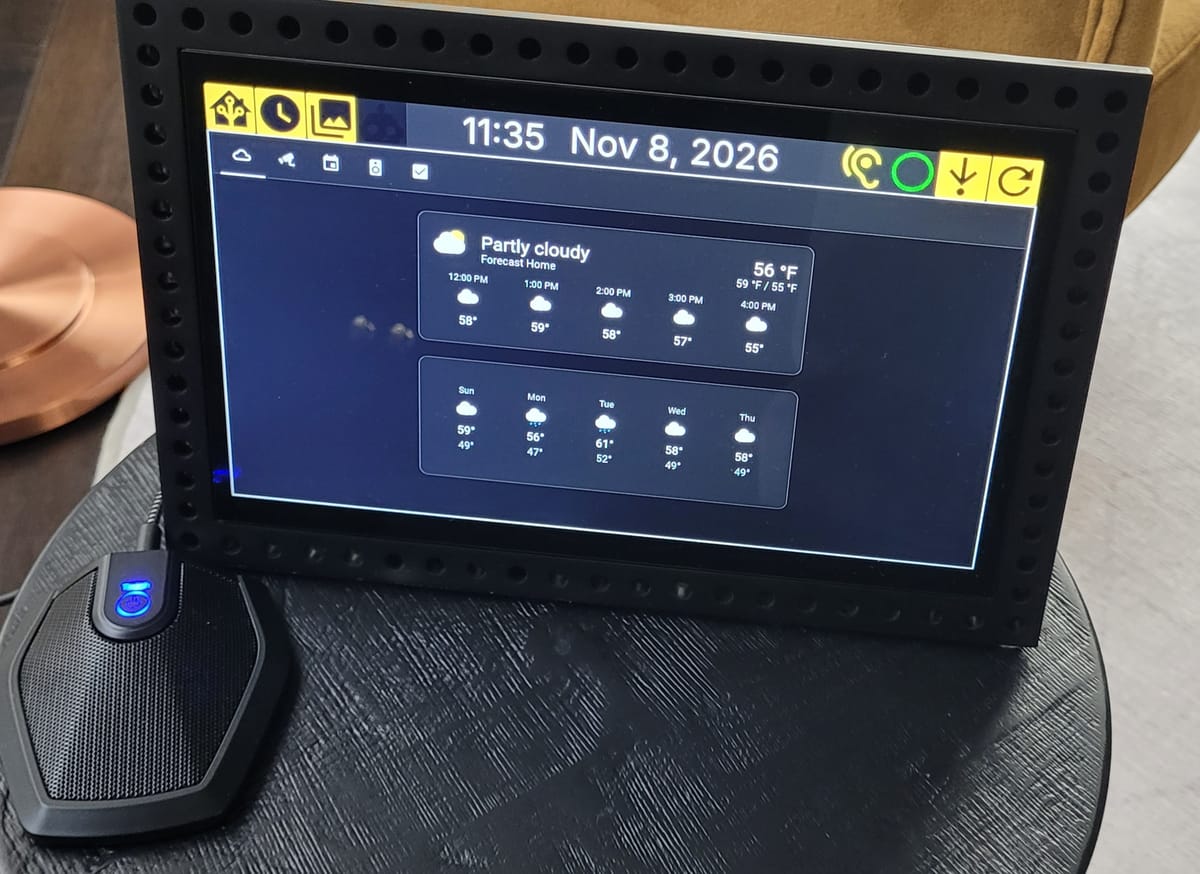
This is a home made, customizable kiosk. My instance primarily displays a Home Assistant dashboard that shows weather, cameras, and the family calendar. It also supports timers and a photo slideshow that displays images from a Photoprism instance via its REST API. The device is voice-controllable using the wake phrase, "Hey Faux Show," after which speech is sent to a whisper server for STT processing. The transcribed speech is returned to the device and parsed for specific voice commands. A few static voice commands are included for creating and acknowledging timers, and additional voice commands and their corresponding actions can be added with configuration files.
Voice controlled timer
When a timer expires, it uses the Home Assistant API to announce over Wi-Fi-connected speakers the name of the timer that has expired until the alarm is acknowledged either via voice command or the touchscreen interface.
The device also exposes two MQTT endpoints to Home Assistant, which allows for automations controlling the device itself. One endpoint can receive a URL to display. For our instance, when our Reolink doorbell is rung, Home Assistant directs the device to the URL for the front doorbell camera feed.
Doorbell cam automation
The other MQTT endpoint allows putting the device in a sleep mode, which disables the front end, turns off the screen, and turns off the audio service for voice commands. In our home, we use motion sensors in the room with the device, and a Home Assistant automation turns off the lights and sleeps the device when the room is unoccupied.
Sleep and wake cycle
The device is already quite energy efficient and only consumes about 8 W when the display is on and wake word detection is running. Sleep decreases that to about 4 W.
Since the photo slideshow fetches images from our Photoprism instance, changing the images on rotation on the device only requires changing which images are in the dedicated Photoprism album. When the photo slideshow is displayed, it expands to take the full screen so that the device looks like a simple digital picture frame. An interaction with the touchscreen will transiently expand the top menu to expose the buttons.
Back and forth between timer and photo slideshow
Specifications
Hardware
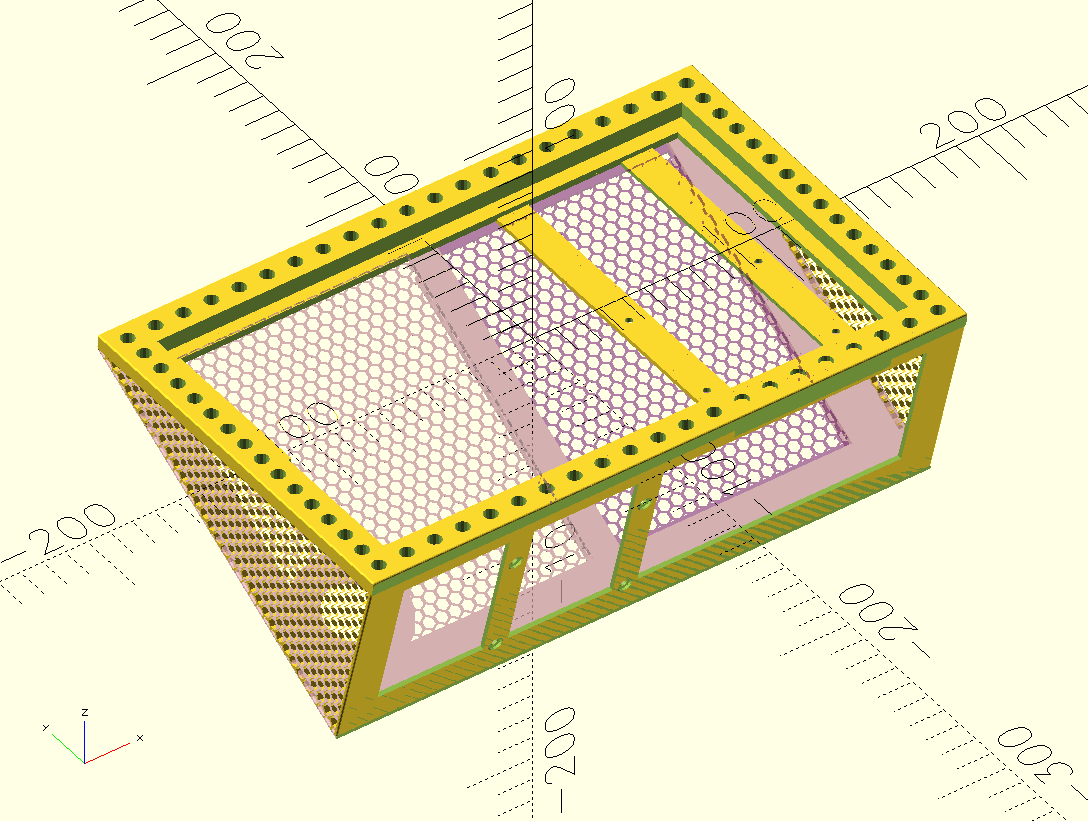
The board inside is a Raspberry Pi 5 connected to a small touchscreen (HAMTYSAN 10.1"). The two are mounted in an enclosure designed using OpenSCAD.
Software
The operating system is NixOS, which launches a Rust-based backend application and a Firefox instance via cage. The backend serves the frontend locally, which is a static site generated with Svelte. The Firefox instance is started with the --kiosk flag to give the interface a streamlined appearance. Systemd restarts the backend if it crashes, and a watchdog in the backend restarts the cage service if the frontend stops responding to websocket pings, so the device is resilient to crashes, which is what you would expect of an appliance.
Repository
Design files for the enclosure, configuration for the operating system, source code for the frontend and backend, helper scripts for deployment, and voice control configuration and examples are in this repository.

Why Do This?
When the Amazon Echo hit the market, it felt like the future. Music and lights could be controlled at a word, and it was magical. It wasn't long before we had several in our home. We were also early adopters of the Echo Show and Ring product lines. Seeing who is at your front door from the comfort of the kitchen or from your phone is now as commonplace as backup cameras on cars, but these were once incredible novelties. When we moved, our new home had three Ring cameras installed, so we happily upgraded our subscription so that we could keep tabs on the kids and as they played around the house and spy the deer that found their way into the back yard!
In parallel, something else was happening. I was slowly becoming frustrated with many of the services that had seemed so futuristic only a few years before. I wish I could say it was because of lofty ideals like freedom, privacy, and data sovereignty. Or, I wish I were so opposed to the ethical practices of these companies that I changed for moral reasons. But, if I'm being honest, the real reason was that these services decayed in quality, and it was tangible. So, I started self hosting. Home Assistant replaced SmartThings, Nextcloud replaced Google Drive, Photoprism replaced Google Photos, and Jellyfin replaced Pandora (I skipped Spotify but did take a detour through Plex).
The Alexa and Ring ecosystem was stickier because my spouse really likes for the kids to have the ability to glance at a display to see who is ringing the doorbell. So, we made a bargain. If I could replicate that effect with another device, she would agree to removing all Ring and Alexa devices. How hard could it be?
Ideas for Improvement
The onboard Wi-Fi for the Raspberry Pi 5 works fine when it's near an access point, but it is struggling in the location we intend for it. I think this is because of all the cables in the enclosure. I tried a USB Wi-Fi dongle I had lying around, and it did worse. I suspect the device would benefit from an antenna external to the enclosure. Of course, an ethernet connection would be best, but that's not an option in its current location.
The voice commands are functional but rudimentary and deterministic. It's easy to imagine improving on that interface by using a locally-hosted LLM to interpret natural language with a small harness to control the backend. Along the same line, it'd be trivial to allow verbal conversation with a locally-hosted LLM with STT+TTS. It was nice to be able to ask our previous smart home devices what the circumference of the Earth is, but I'm not sure I actually want to have that in my home any more.
I doubt I'll build a second of these because we really don't need more than one. But, if I were going to build another, I'd redesign the enclosure. The existing design is a single piece, which increases JLC3DP fabrication cost significantly because they don't just charge based on the mass of substrate but also based on the bounding volume of the print. This led me to try to decrease the price by decreasing the enclosure volume, which made assembly and modification difficult. For a redesigned, instead of one single part, I'd make the enclosure several flat parts that bolt together. This would make prints cheaper and assembly more finger-friendly.
